
How Does Domain Auto-Renewal Work?
Domains with auto-renewal turned on are renewed automatically for 1 year before their expiry date, and the fee is deducted from your account balance. If your balance is insufficient, you are notified and the renewal is retried on the next retry day.
How does auto-renewal work?
- Every day, the system checks your Active domains that have auto-renewal turned on.
- Domains whose remaining days match one of the extension's retry days are added to the renewal queue.
- Queued domains are processed every few minutes, starting with the one closest to expiry.
- If the domain is still eligible and your balance is sufficient, it is renewed for 1 year at the registry. The fee is deducted from your balance.
Retry days: By default, renewal is attempted 30, 25, 18, 15, 10, 7, 5, 3 and 1 day(s) before expiry. The schedule may differ by extension, and some extensions may not support auto-renewal.
The renewal is completed on the first successful attempt. If your balance is sufficient, the domain is usually renewed 30 days before expiry.
How do I turn auto-renewal on or off?
You can change the setting per domain in four ways. Changes take effect immediately.
1. Using the switch in the domain list
Go to Domains (Domainler) › Domain List (Domain Listesi) and click the switch in the Auto-renew (Oto. yenileme) column. A green switch labelled On (Açık) means auto-renewal is active. Off (Kapalı) means the domain will not renew automatically.
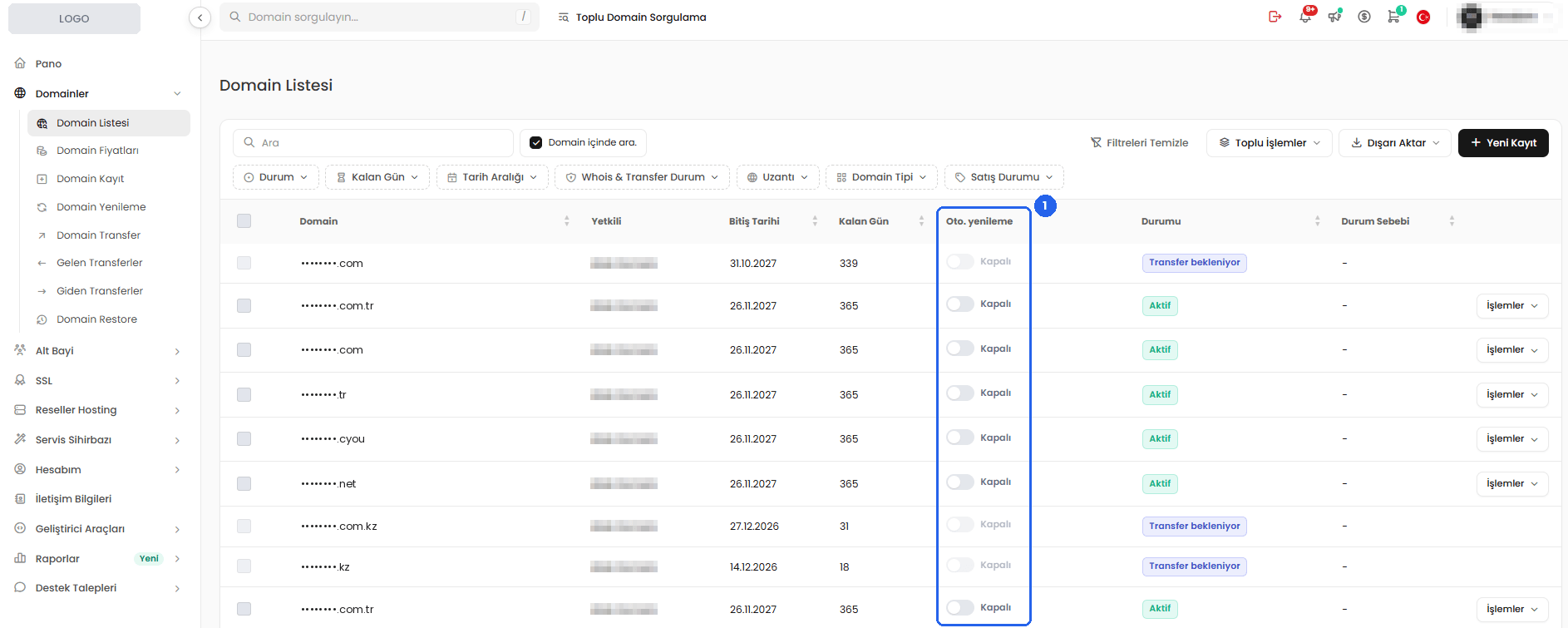

For domains in Transfer pending (Transfer bekleniyor) status, the switch appears disabled. You can change the setting once the transfer is complete.
2. From the Actions menu
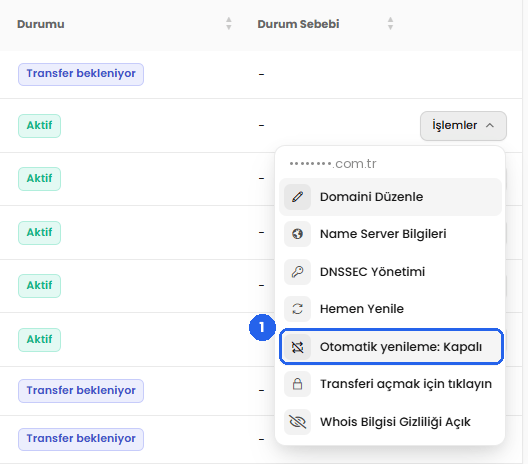
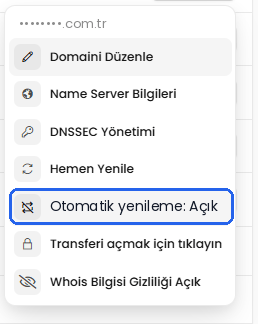
Click the Actions (İşlemler) button at the right of the domain row. The Auto-renewal: Off (Otomatik yenileme: Kapalı) line shows the domain's current status. Click it to turn auto-renewal on; the line then reads Auto-renewal: On (Otomatik yenileme: Açık).
3. Using Bulk Actions (multiple domains)
- In the domain list, tick the checkboxes next to the domains you want to update.
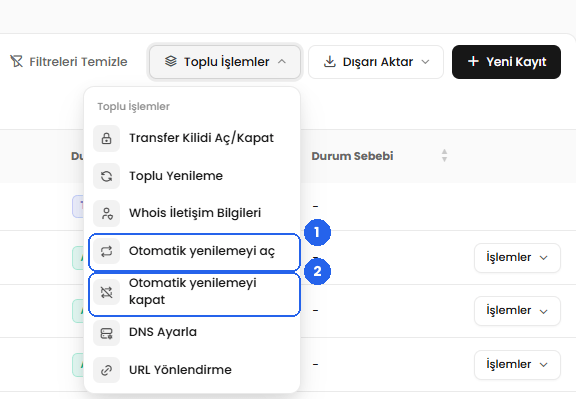
- Open the Bulk Actions (Toplu İşlemler) menu at the top right.
- Click Turn on auto-renewal (Otomatik yenilemeyi aç) (1) or Turn off auto-renewal (Otomatik yenilemeyi kapat) (2).
Tip: Narrow the list with the Status, Days Left and Extension filters to apply a bulk action only to the domains you need.
4. Via the API
If you use a panel integration such as WHMCS or WiseCP, or your own software, you can also change the renewal mode via the API. See API Documentation (API Dokümanları) at the top right of the panel for details.
Default setting for new domains
In your reseller panel settings, you can choose whether newly registered and incoming transferred domains start with auto-renewal on or off. This setting does not change your existing domains. If no default is set, auto-renewal starts off for new domains.
Balance and notifications
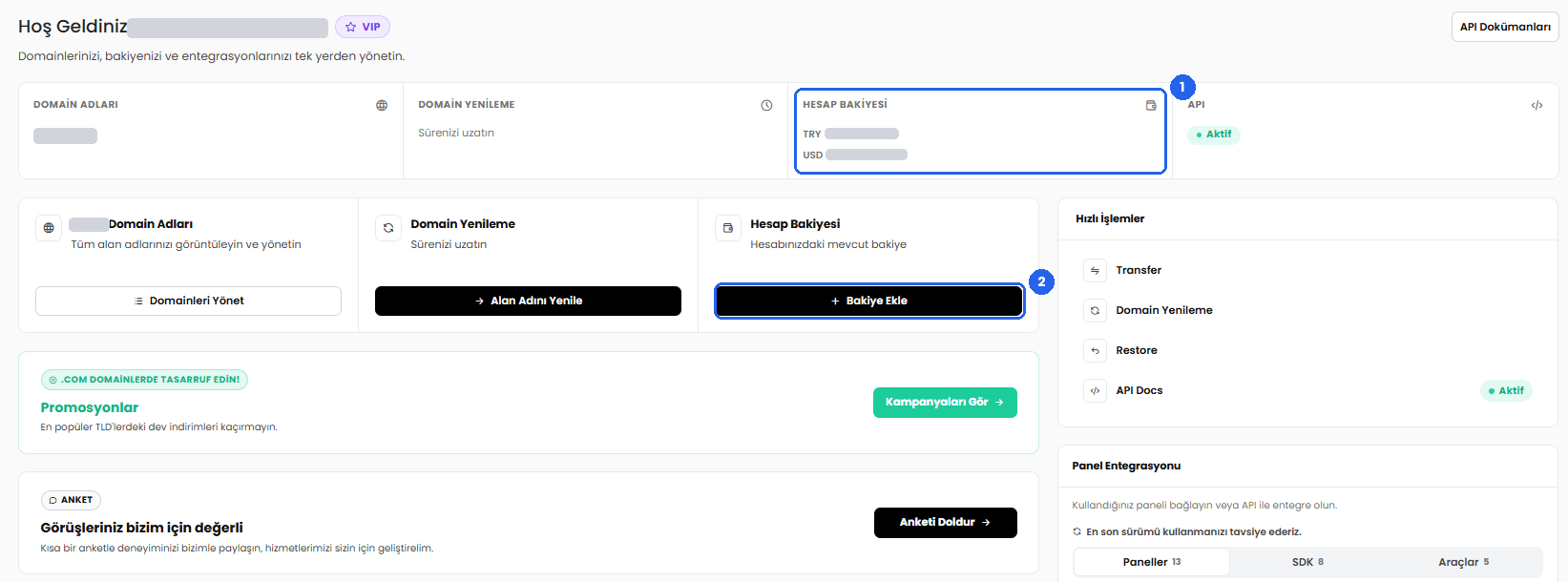
Auto-renewal fees are deducted from your account balance. To avoid interruptions, keep your balance high enough to cover upcoming renewals. You can check it on the Account Balance (Hesap Bakiyesi) card on the Dashboard (Pano) (1) and top it up with Add Balance (Bakiye Ekle) (2).
The outcome of each renewal attempt and the notifications you receive:
| Outcome | What happens | Notification to you |
|---|---|---|
| Renewed | The domain is extended by 1 year and the fee is deducted from your balance. | Email and panel notification |
| Insufficient balance | The domain is not renewed; it is retried on the next retry day. | Email and panel notification with the required amount and the next retry date |
| Technical error / registry rejection | Our technical team is notified; the domain is retried on the next retry day. | None |
| Skipped | The domain is no longer eligible (auto-renewal turned off, renewed manually, etc.) or your account balance is on hold. | None |
| Under review | The renewal was completed at the registry but is not yet reflected in the panel. Our technical team checks and fixes it; no action is needed from you. | None |
Things to keep in mind
- Auto-renewal only runs before the expiry date. If the domain cannot be renewed on the last retry day, it expires, and you need to use Domain Renewal (Domain Yenileme) or Domain Restore instead.
- If you turn auto-renewal off, the domain is not renewed even if it is already in the renewal queue.
- A domain you renew manually with Renew Now (Hemen Yenile) is skipped by auto-renewal for that period, so you are not charged twice.
- Check your balance regularly. If you receive an insufficient-balance notification, top up before the next retry date stated in it.
Frequently asked questions
For how long is a domain auto-renewed?
1 year each time. For longer renewal periods, use the Domain Renewal page.
Will I lose my domain right away if my balance is insufficient?
No. You are notified and the domain is retried on the next retry day. Retry days continue until the expiry date.
Do I need to open a support ticket to change the setting?
No. You can change it yourself instantly from the panel or the API. If needed, our support team can also update it on your behalf.